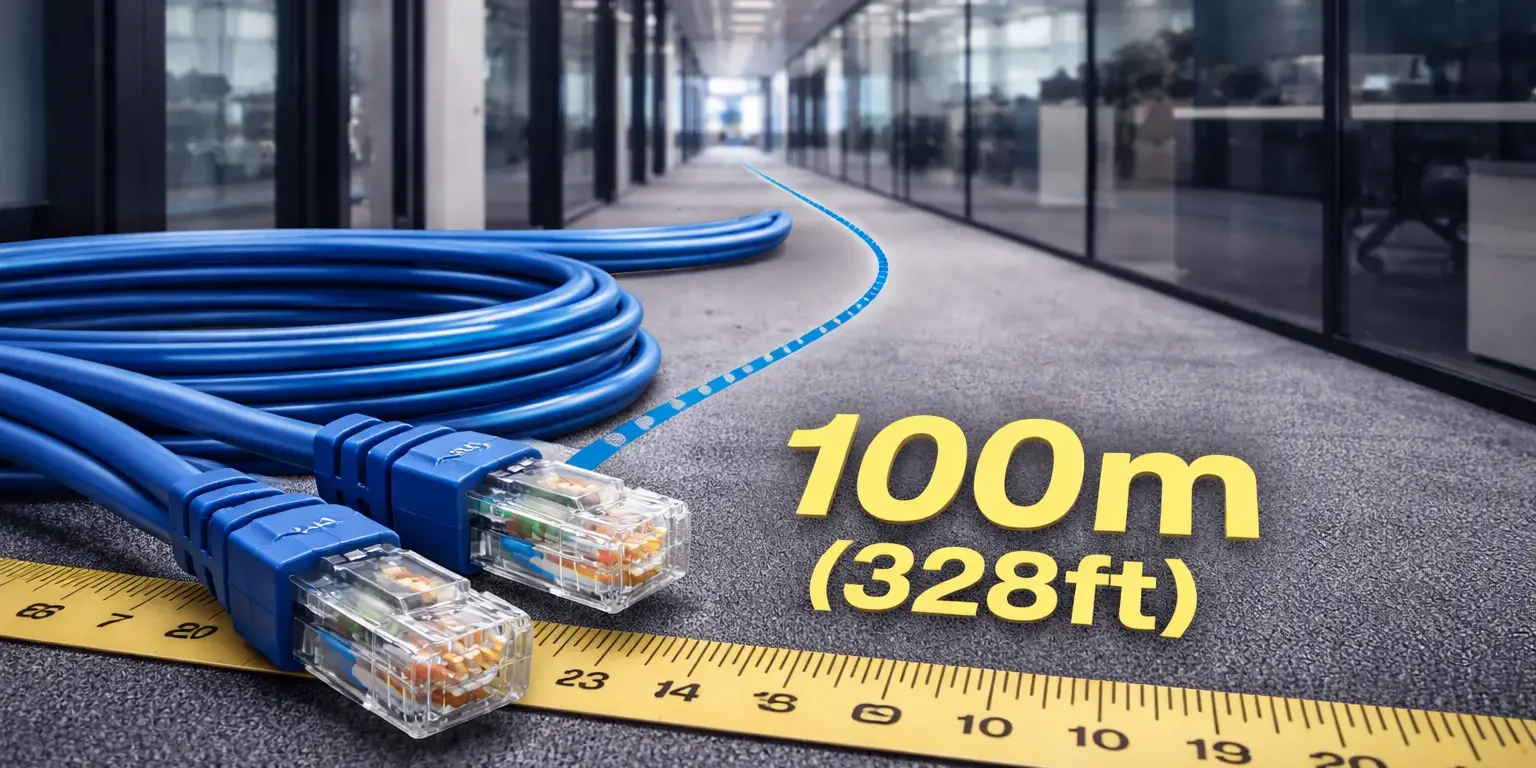
A network admin asks a seemingly simple question: “Can we run Cat6 from the server rack to that back conference room?” The tape measure says 280 feet. The answer is technically yes, barely, for gigabit ethernet. For 10-gigabit, the answer is not even close. This is exactly the kind of distance mistake that shows up years later when the business tries to upgrade switches and suddenly a third of the building cannot hit full speed.
Understanding how far Cat6 can run, and why the distance shrinks for higher speeds, is one of the most practical things a building owner or IT director can know before signing a cabling proposal. This guide covers the real limits, where they come from, and what happens when installers push past them.
How Far Can Cat6 Run – Short Answer
Cat6 can run 100 meters (328 feet) for standard gigabit ethernet under ANSI/TIA-568. That breaks down into a 90-meter permanent link (horizontal cable in the walls and ceiling) plus up to 10 meters of patch cords at both ends combined. For 10-gigabit ethernet (10GBASE-T), Cat6 is limited to about 55 meters, which is why Cat6A is preferred for longer high-speed runs.
Where the 100-Meter Limit Comes From
The 100-meter channel length is not a marketing number. It comes directly from the ANSI/TIA-568 standard, which defines how commercial cabling performs in real-world conditions. The limit exists because signal attenuation, crosstalk, and return loss all accumulate as cable length grows.
The channel has three parts under the standard:
| Channel Segment | Maximum Length |
| Work area patch cord (jack to device) | 5 meters typical |
| Permanent link (horizontal cable, wall to rack) | 90 meters |
| Equipment room patch cord (patch panel to switch) | 5 meters typical |
| Total channel length | 100 meters (328 feet) |
The 90-meter permanent link is what gets pulled, terminated on both ends, and tested with a Fluke certifier. The 10 meters of patch cord budget covers the flexible cables at each end. Exceed the total channel length and the cable no longer meets spec, regardless of what the signal looks like on day one.
Why 10-Gigabit Drops to 55 Meters
Cat6 was designed for gigabit ethernet at the full 100-meter channel length. When the industry added 10-gigabit ethernet (10GBASE-T), the physics changed. The signals run at much higher frequencies, and crosstalk between adjacent pairs in the cable bundle becomes a significant problem.
At short distances, Cat6 handles 10-gigabit fine. As runs get longer, alien crosstalk (interference between cables bundled together) degrades the signal until the link becomes unreliable. The industry-accepted safe distance for 10GBASE-T over Cat6 is around 55 meters, with up to 100 meters possible only in ideal conditions with minimal bundle density and no external interference.
Cat6A solves this problem with tighter internal twisting, better shielding options, and larger conductor geometry. Cat6A supports 10-gigabit at the full 100-meter channel length under the same TIA-568 standard.
Distance Performance Summary
Here is how Cat6 actually performs at different speeds and distances.
| Speed | Maximum Safe Cat6 Distance | Cat6A Distance for Comparison |
| 100 Mbps (Fast Ethernet) | 100 meters | 100 meters |
| 1 Gbps (Gigabit) | 100 meters | 100 meters |
| 2.5 Gbps | 100 meters | 100 meters |
| 5 Gbps | 100 meters | 100 meters |
| 10 Gbps (10GBASE-T) | 55 meters typical | 100 meters |
| 25 Gbps or 40 Gbps | Not supported | Short-reach only |
For any commercial install planning to carry 10-gigabit to endpoints within the next decade, the 55-meter limit becomes the practical planning number, not the headline 100 meters.
What Happens If You Exceed the Limit
Cable does not fail cleanly the moment you cross 100 meters. It fails unpredictably, which is worse. A 110-meter Cat6 run might work fine for months, then start dropping packets when the office heats up in August, when the building adds more devices, or when someone reroutes a cable bundle that changes the electromagnetic environment.
Symptoms of over-distance Cat6 runs include intermittent connectivity, slow throughput that Windows reports as “gigabit” but tests at 400 Mbps, random retransmission errors buried in switch logs, and video calls that pixelate at random moments. Troubleshooting these problems is painful because the cable passes basic continuity tests.
The right fix when a run exceeds 100 meters is almost always to add an intermediate IDF (telecommunications room) to shorten the horizontal run. Splitting a building with one giant horizontal plant into a building with a proper MDF plus IDFs and fiber backbone solves distance problems permanently.
Real Building Measurements
Floor plans lie. The straight-line distance from the telecom closet to the farthest workstation is rarely the actual cable path. Every real run adds slack for terminations, routing around HVAC and structural obstacles, vertical drops from the ceiling to the wall jack, and service loops at both ends.
A workstation that measures 220 feet in a straight line often needs 280 to 300 feet of actual cable. On a 15,000-square-foot floor plate, this is the difference between a comfortable 85-meter run and an over-distance 92-meter run with no margin left for future changes.
Professional cabling contractors measure and plan for real pulled lengths, not straight-line distances. We build in 10 to 15 percent overage on horizontal run estimates because service loops, routing detours, and termination slack are real and consistent.
When to Use Cat6 Despite the Limit
Cat6 remains the right choice in plenty of commercial scenarios where distance is not a problem.
Short runs to workstations on a single floor plate under 10,000 square feet. Almost every drop stays well under 50 meters, which gives both gigabit and 10-gigabit headroom.
Dense office layouts with IDFs on every floor and horizontal runs capped by design. Multi-floor buildings with proper backbone fiber between MDF and floor-level IDFs rarely have individual horizontal runs approaching 55 meters.
Compact commercial spaces under 5,000 square feet. Small offices, retail storefronts, and satellite locations usually fit comfortably within Cat6’s limits at any speed.
Any install where gigabit is the planned endpoint speed for the next 5 to 7 years and 10-gigabit to the desk is not on the roadmap.
When Distance Forces You to Cat6A or Fiber
Four scenarios make Cat6A or fiber the only right answer.
- Large floor plates over 15,000 square feet with centralized telecom. If you are running from a single telecom room to the farthest corner of a big floor, you will exceed 55 meters on many runs. Cat6A handles it. Cat6 does not.
- Buildings with 10-gigabit roadmap. If the business plans to upgrade to 10-gigabit switching within the life of the cable plant, Cat6A removes the distance ceiling entirely.
- Warehouses, industrial facilities, or large open spaces. These environments often need long horizontal runs to ceiling-mounted APs, cameras, or equipment. The distances routinely exceed Cat6’s 10-gigabit limit.
- Backbone or inter-building runs. Anything over 100 meters total channel length requires fiber, not copper, regardless of category.
What We See Go Wrong on Real Jobs
The most common mistake is trusting floor plan measurements instead of pulling a test string. A contractor bids Cat6 based on “that corner is 85 meters,” then the actual cable ends up being 98 meters after routing through the real ceiling path, and the drop fails 10GBASE-T certification at the end of the job. The fix is either replacing the run with Cat6A or adding an IDF closer to that part of the building, both expensive after-the-fact.
The second mistake is forgetting patch cords count toward the channel length. We see installers leave a 90-meter permanent link then hand the customer 7-meter patch cords at both ends. That is a 104-meter channel, which violates TIA-568 and fails proper Fluke certification even if the cable runs at gigabit today.
The third mistake is running Cat6 on a cable tray alongside dozens of other Cat6 cables in a dense bundle, then wondering why 10-gigabit speeds are unstable at 65 meters. Bundle density creates alien crosstalk that shortens effective Cat6 performance below the 55-meter guideline.
Field Note: O’Hare-Area Warehouse Distance Problem
A logistics company leased a 60,000-square-foot warehouse near O’Hare with attached office space. Original plan was Cat6 throughout, centralized in a single telecom closet near the main office.
Walking the space, several runs to the back of the warehouse exceeded 85 meters. The dock-area cameras required 10-gigabit headroom for future upgrade, and the ceiling-mounted wireless APs needed PoE++ support. Cat6 would have worked for gigabit but locked out the 10-gigabit roadmap for the longest runs.
Solution: a proper MDF in the office with a secondary IDF halfway through the warehouse, connected by multimode OM4 fiber backbone. Cat6A horizontal runs from each telecom room capped every drop at under 70 meters. Total cost delta versus the original centralized Cat6 plan was about 12 percent, and the infrastructure will support the next two switch refresh cycles without distance concerns.
How to Plan Cable Distance Correctly
Four steps handle cable distance properly on any commercial project.
First, measure the real pulled length, not straight-line distance. Add 10 to 15 percent to account for routing, service loops, and termination slack.
Second, subtract patch cord budget from the total channel length before signing off. A 90-meter permanent link plus two 3-meter patch cords is a 96-meter channel. Leave margin.
Third, if any run approaches the 55-meter 10-gigabit limit on Cat6, either upgrade to Cat6A or add an IDF to shorten horizontal distances.
Fourth, size pathway (conduit, cable tray, J-hooks) for future category changes. Cat6A is larger than Cat6, so pathways designed for Cat6 may not fit Cat6A replacements later.
Have a Distance Problem? Chicago Area Site Walks Available
Chicago Network Solutions designs cable plants around real distance measurements, not optimistic floor plans.
Whether the project calls for targeted Cat6 cabling installation, a full structured cabling buildout with proper MDF and IDF placement, a fiber optic backbone to eliminate distance concerns, or commercial ethernet wiring sized for future upgrades, the cable plan gets sized for current performance and future upgrade headroom.
If your building is in the Chicago area, call (312) 818-3517 or contact us to schedule a site walkthrough.
FAQs
How far can Cat6 run for a single device like a printer or camera?
A single Cat6 drop can run the full 100 meters (328 feet) for any device operating at gigabit ethernet or slower, including printers, IP cameras, VoIP phones, and standard wireless access points. The 100-meter limit is total channel length including patch cords at both ends, not just the horizontal run.
Can Cat6 run 10-gigabit ethernet at 100 meters?
Not reliably. The ANSI/TIA-568 standard supports 10-gigabit on Cat6 only up to 55 meters in typical commercial bundle conditions. Pushing beyond 55 meters risks alien crosstalk problems, especially in dense cable bundles. For 10-gigabit runs beyond 55 meters, Cat6A is the correct choice.
What happens if you run Cat6 longer than 100 meters?
The cable does not immediately fail, but it will not meet TIA-568 performance specifications. Expect intermittent connectivity, packet loss under load, and speed that reports as gigabit but tests lower. The problems often appear weeks or months after install, making troubleshooting difficult. The correct fix is adding an intermediate IDF, not extending the run.
Do patch cords count toward the 100-meter limit?
Yes. The 100-meter channel includes the horizontal permanent link (up to 90 meters) plus all patch cords at both ends (up to 10 meters combined). A 95-meter horizontal run with two 5-meter patch cords is a 105-meter channel, which violates the standard and fails proper Fluke certification.
Can I extend Cat6 beyond 100 meters with a coupler or splice?
Technically yes, practically no. Adding couplers or splices degrades signal quality and shortens effective reach. The correct solution for runs over 100 meters is either adding an intermediate IDF with a patch panel to start a new channel, or switching to fiber for that run. Couplers in the middle of a horizontal channel are a troubleshooting nightmare.
How long can Cat6 run outdoors or between buildings?
Indoor Cat6 is rated for controlled environments. For outdoor or building-to-building runs, use direct-burial-rated or aerial-rated Cat6 with proper grounding and surge protection, and keep distances well under 100 meters. For anything beyond 100 meters outdoor or between buildings, fiber is almost always the right answer due to distance, electrical isolation, and lightning protection.
Does cable bundle density affect how far Cat6 can run?
Yes, especially for 10-gigabit ethernet. When many Cat6 runs bundle tightly together in a tray or conduit, alien crosstalk between cables can shorten effective 10-gigabit reach below the 55-meter guideline. Proper cable management and bundle spacing help, but for dense installs expected to carry 10-gigabit, Cat6A or shielded Cat6A is the safer specification.
Closing Thought
How far Cat6 can run is one of those questions with a simple answer (100 meters for gigabit, 55 meters for 10-gigabit) and a complicated reality (real cable paths are longer than straight-line distances, patch cords eat into the budget, and bundle density shortens high-speed reach). Respecting the limits on day one prevents expensive rewiring later.
Before signing any cabling proposal, confirm the longest runs are measured for actual pulled length, that patch cord allocations leave margin against the channel limit, and that 10-gigabit capability is preserved for runs over 55 meters. A Cat6 install planned correctly today will perform for a decade. A Cat6 install with one over-distance run will create troubleshooting problems from the first switch upgrade forward.
Services covered in this guide
Chicago Network Solutions installs and supports every system described here across Chicago and the surrounding suburbs.
Service areas:Naperville · Schaumburg · Rosemont · Elk Grove Village · Des Plaines · Niles · Skokie · Evanston