Walk into any older office telecom closet and the story is usually the same. Three generations of patch cords hanging loose, a punch-down block nobody remembers installing, a switch balanced on top of a cardboard box, and zero labels anywhere. Somewhere in that mess is the reason a conference room phone stopped working last Tuesday.
Knowing the actual structured cabling system components, what each one does, and how they fit together, is the difference between a network that grows cleanly with the business and one that becomes a permanent troubleshooting project. This guide covers both the standards view and what we actually install on-site.
Quick Answer For Structured Cabling System Components
Structured cabling system components comprise the physical hardware and transmission media required for a standards-compliant network. This includes media (Cat6a, Cat8, and Single-mode/Multimode fiber), connecting hardware (patch panels, modular jacks, and Racks/PDUs), and support infrastructure (cable trays and conduits).
According to the ANSI/TIA-568 standard, these components are integrated into six functional subsystems: Entrance Facilities, Equipment Rooms, Backbone Cabling, Telecommunications Rooms, Horizontal Cabling, and Work Areas. The system’s integrity is finalized through rigorous TIA-606-C labeling and Fluke testing documentation.
The Standards View: Six Subsystems of a Structured Cabling System
The ANSI/TIA-568 standard breaks a commercial cabling system into six defined subsystems. Every properly designed install touches all six, even if a single-floor office collapses some of them into one physical space.
Entrance Facilities
This is where outside services (fiber from the ISP, copper from the telco, coax from a cable carrier) enter the building. It includes the demarcation point, protection hardware, and any service provider equipment. When we serve in Chicago, this usually lives in a shared building MPOE room in the basement or ground floor.
Equipment Room
The main cross-connect for the building or tenant space, often called the MDF (Main Distribution Frame). This is where the core switches, routers, servers, and head-end equipment live. It connects the entrance facilities to the backbone cabling.
Backbone Cabling (Riser)
The cable runs that connect the MDF to each IDF (Intermediate Distribution Frame) on other floors or zones. Backbone cabling is almost always multimode or single-mode fiber in modern installs, though copper backbone still exists in older buildings.
Telecommunications Rooms (IDFs)
The floor-level or zone-level closets that aggregate horizontal cable runs and connect back to the MDF via the backbone. ANSI/TIA-569 governs how these rooms should be built: proper ventilation, grounding, clearance around racks, and enough physical space to actually work in.
Horizontal Cabling
The runs from each IDF out to the wall jacks in the work areas. Horizontal cabling is capped at 100 meters (328 feet) of total channel length under TIA-568. For most commercial installs today, this is Cat6 or Cat6A unshielded twisted pair copper.
Work Area
Everything from the wall jack forward: the faceplate, the modular jack, the patch cord to the end device, and the end device itself (workstation, VoIP phone, camera, access reader, wireless AP).
The Installer View: Physical Components You Actually Handle
The standards view is useful for planning. The installer view is what matters on a job site. These are the physical parts we buy, pull, terminate, and test.
Cables
The backbone of everything. Three types dominate commercial installs.
- Cat6 unshielded twisted pair handles gigabit ethernet at 100 meters and supports PoE+ (802.3at) comfortably. It remains common for budget-conscious installs and light PoE loads.
- Cat6A is the current recommendation for most commercial buildings. It supports 10GBASE-T at the full 100 meters, handles PoE++ (802.3bt) heat loads better than Cat6, and is what most IT directors should be specifying for any install meant to last ten-plus years.
- Fiber (multimode OM3/OM4 for most buildings, single-mode OS2 for long runs or carrier-grade work) handles backbone runs between MDF and IDFs, any run past 100 meters, and environments with electromagnetic interference.
Jacks and Outlets
The wall-mounted modular jack that terminates the horizontal cable run. Usually RJ45 keystone jacks rated to match the cable category (a Cat6A run needs a Cat6A jack, not a Cat5e one). Mounted in faceplates, either flush-mount in drywall or surface-mount where walls cannot be opened.
Patch Panels
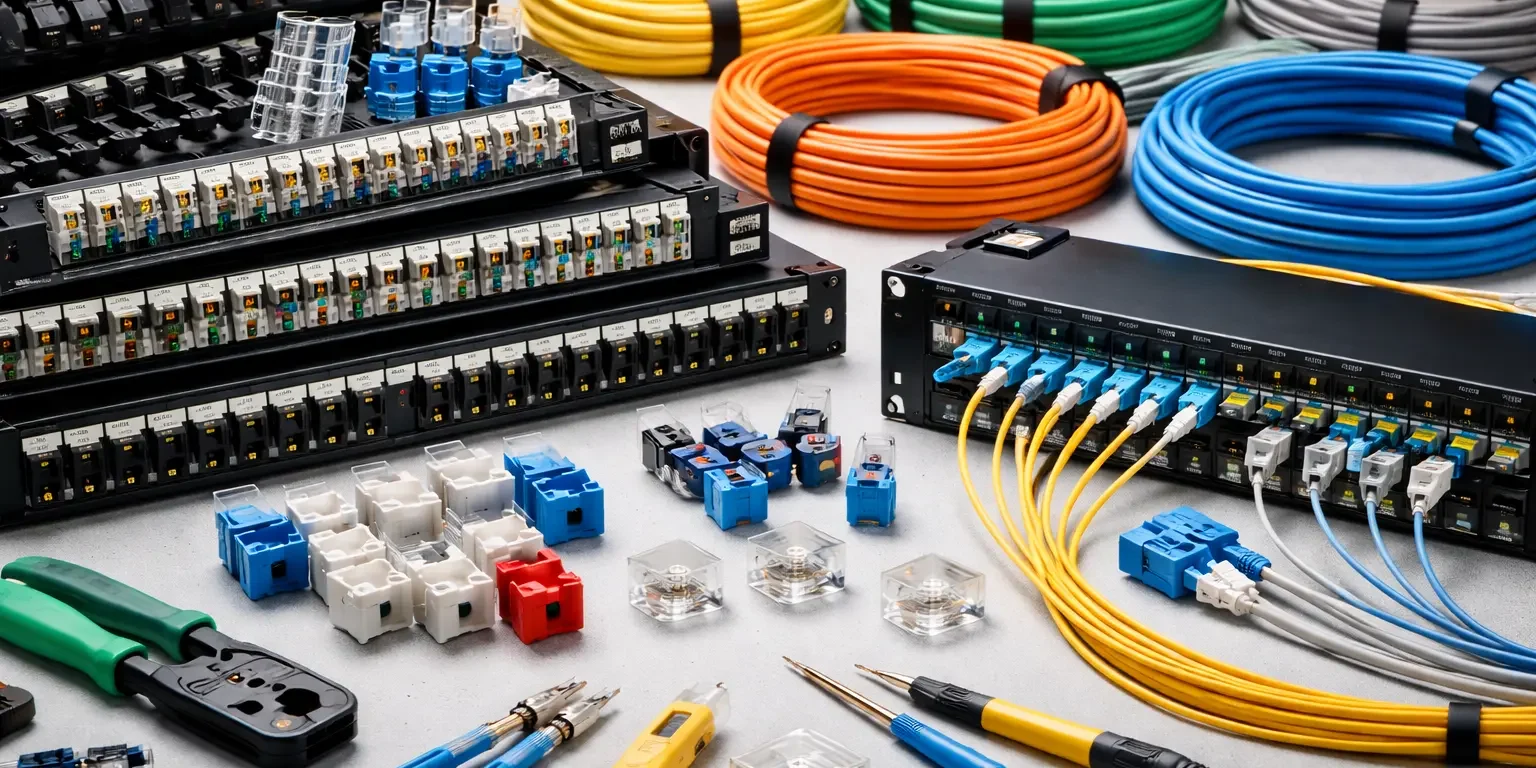
The IDF-side terminator for horizontal cable runs. Each cable pulled from a wall jack lands on a patch panel port in the telecom room. Patch panels are either punch-down (110-style) or modular keystone style. Every port gets labeled per TIA-606.
Patch Cords
The short cables that connect patch panel ports to switch ports in the rack, and the cables that connect wall jacks to end devices in the work area. Should match the category of the horizontal cabling. Factory-made patch cords outperform field-terminated ones and should be specified for critical runs.
Racks and Cabinets
The physical frames that hold switches, patch panels, servers, UPS units, and cable management. Open-frame racks work for secured telecom rooms. Enclosed cabinets (usually with locking doors and side panels) are used where physical security or dust control matters. Standard width is 19 inches. Standard depth varies from 24 to 42 inches based on equipment.
Telecom Rooms (MDF and IDF)
The physical spaces that house the equipment. A properly built MDF or IDF has grounded racks, proper HVAC or spot cooling, sufficient power circuits, fire suppression appropriate to the equipment, and enough clearance to work safely. Skipping TIA-569 on these rooms is the most common cause of equipment failures later.
Cable Management
Horizontal and vertical cable managers inside the rack, plus ladder racks, cable trays, and J-hooks above the ceiling. Good cable management is not cosmetic. It controls bend radius (important for Cat6A and fiber), prevents cables from pulling on terminations, and makes future changes possible.
Labeling, Testing, and Documentation
Often skipped, always regretted. TIA-606 defines the labeling scheme. Every cable should be labeled at both ends with a unique identifier matching the patch panel port, the wall jack, and the as-built drawing. Testing with a Fluke certifier (or equivalent) validates that each run meets the category’s performance requirements. Documentation includes the patch panel schedule, the as-built floor plan, and a test result report.
Component Tier Reference: What Each Part Does and Where It Lives
| Component | Lives In | Standard Governing It |
| Entrance facilities | Building MPOE | TIA-568, TIA-569 |
| MDF (main cross-connect) | Equipment room | TIA-568, TIA-569 |
| Backbone fiber | Risers, trays | TIA-568 |
| IDF (floor/zone closet) | Telecom room | TIA-569 |
| Horizontal Cat6/6A cable | Ceiling, walls | TIA-568 |
| Patch panels | Rack in MDF/IDF | TIA-568, TIA-606 |
| Patch cords | Rack and work area | TIA-568 |
| Wall jacks and faceplates | Work area walls | TIA-568 |
| Racks and cabinets | MDF and IDFs | TIA-569, TIA-942 |
| Cable management | Rack and pathways | TIA-569 |
| Labels and documentation | Every component | TIA-606 |
What We See Go Wrong on Real Installs
Component choice matters, but the failure points are almost always in the boring stuff.
Patch cords are the single most common failure point we find during troubleshooting. Cheap factory cords, field-terminated cords made by whoever was available, or cords that have been flexed hundreds of times. We have replaced dozens of “bad drops” that turned out to be a $3 patch cord.
Undersized cable management causes long-term problems. Techs force cables into too-tight managers, the bend radius gets violated, and performance on Cat6A or fiber runs degrades. The install looks clean on day one and causes intermittent errors two years later.
Unlabeled patch panels turn every change into a scavenger hunt. In one South Loop office we took over, the previous installer left a 48-port patch panel completely unlabeled. Tracing every drop took two full days before we could even start the actual upgrade work.
Telecom rooms without proper cooling kill switches. A rack full of PoE switches running 60 to 80 percent PoE budget generates serious heat. In a closet without ventilation, ambient temperature climbs past equipment tolerance, and the switches fail months earlier than they should.
Case Study: Modernizing a 1970s Medical Office on Irving Park Road
Converting older structures into modern medical facilities requires more than just pulling wire. For this 12,000-square-foot project, we had to navigate a 1970s build with extremely limited ceiling space and convert an original electrical closet into a functional MDF.
The Component Stack for this Install:
- MDF (Main Distribution Frame): One 42U enclosed cabinet. We chose a locking model to meet HIPAA physical security standards, equipped with dual power circuits and dedicated spot cooling.
- IDFs (Intermediate Distribution Frames): Two 24U wall-mount cabinets positioned strategically in exam pods to keep horizontal runs within the 100-meter limit.
- Backbone: Multimode OM4 Fiber connecting the MDF to each IDF for lightning-fast internal data transfer.
- Horizontal Runs: Shielded Cat6A to support high-res PACS imaging and high-wattage PoE++ for IP cameras and WiFi 6E/7 Access Points.
- Documentation: Every run was Fluke tested and labeled per TIA-606 standards.
Why this matters: The practice didn’t just need “internet”; they needed segregated networks for imaging and patient data. By selecting Cat6A, we ensured their PoE devices wouldn’t overheat in the tight ceiling spaces, and the fiber backbone ensures they won’t need an upgrade for another decade.
Upgrading Your Cabling System? We Handle Chicago Installs End to End
If you are in Chicago then we design complete cabling systems for Chicago-area businesses, covering every component from entrance facilities through work area terminations.
Whether the scope is a full structured cabling installation, targeted Cat6 cabling runs, a fiber optic backbone between floors, or a broader data cabling project, Chicago Network Solutions handle the complete component list with TIA-568 and TIA-606 compliance.
Chicago businesses can call (312) 818-3517 or contact us to schedule a walkthrough.
FAQs
How many components make up a structured cabling system?
The ANSI/TIA-568 standard defines six subsystems (entrance facilities, equipment room, backbone, telecom rooms, horizontal cabling, work area). In practical terms, an installer handles roughly ten to twelve physical component categories: cables, jacks, patch panels, patch cords, racks, cabinets, cable management, pathway hardware, power, cooling, labels, and documentation.
Is the patch panel part of horizontal cabling or the IDF?
The patch panel physically lives in the IDF rack, but it is the termination point for horizontal cabling runs. In TIA-568 terms, the horizontal cabling subsystem ends at the patch panel port, and anything beyond it (patch cord, switch, uplink) belongs to the equipment side.
What is the difference between a rack and a cabinet?
Racks are open-frame, usually four-post or two-post, with no enclosure. Cabinets are fully enclosed with locking doors, side panels, and usually cable entry openings at top and bottom. Cabinets get used where physical security, dust control, or aesthetics matter. Racks work fine in secured, climate-controlled telecom rooms.
Do structured cabling components need to match each other by category?
Yes. A Cat6A system needs Cat6A cables, Cat6A-rated jacks, Cat6A patch panels, and Cat6A patch cords. Mixing categories caps performance at the weakest link. We see this mistake constantly in DIY installs: someone pulls Cat6A cable but terminates it on Cat5e jacks and wonders why performance is not meeting spec.
What happens if labeling and documentation get skipped?
Every change becomes a tone-and-probe trace. Every troubleshooting call takes three times as long. Every new IT contractor spends the first month mapping the network before they can do anything else. TIA-606 compliance is the cheapest insurance policy in the entire install, and the one most often cut from tight budgets.
Does every building need an MDF and IDFs, or can it have just one?
Single-floor offices under about 10,000 square feet often work with a single telecom room (effectively combining MDF and IDF functions). Multi-floor buildings almost always need a true MDF plus at least one IDF per floor, connected by fiber backbone. The 100-meter horizontal cabling limit under TIA-568 forces the IDF approach in larger spaces.
Which components have the shortest lifespan?
Patch cords, hands down. Cables in the wall and patch panels can last 15 to 20 years. Switches and servers turn over every 5 to 7 years. Patch cords get stressed every time someone moves a device, and they should be replaced whenever they show visible wear or fail a continuity test.
Closing Thought
A structured cabling system is only as strong as its weakest component, and on most failing installs the weakest component is not the cable. It is a $200 rack, a missing label, or a telecom closet nobody planned to cool.
If your building is due for an upgrade, start by inventorying what you already have. A component-level audit against TIA-568 and TIA-606 will usually tell you exactly which parts to keep, which to replace, and where the next failure is going to come from.
Services covered in this guide
Chicago Network Solutions installs and supports every system described here across Chicago and the surrounding suburbs.
Service areas:Naperville · Schaumburg · Rosemont · Elk Grove Village · Des Plaines · Niles · Skokie · Evanston