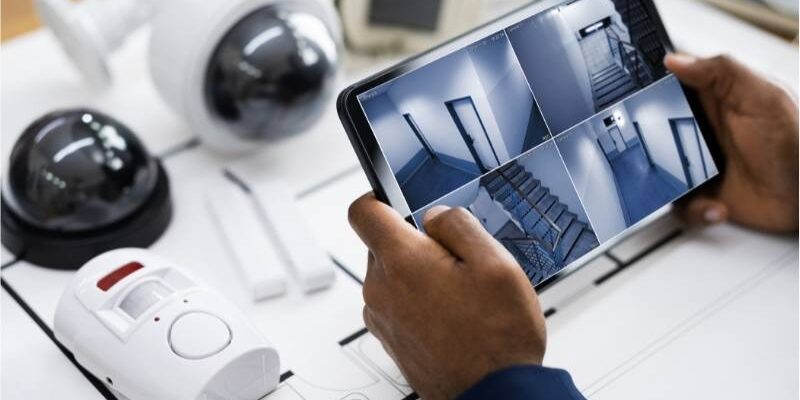
A strong commercial security system does more than record incidents. It helps you control access, protect people, reduce blind spots, and respond faster when something goes wrong. For a business owner, property manager, or office administrator, that matters every day, not just during an emergency.
This guide is most useful for office managers, business owners, property managers, and facility teams who need better control over entry points, visitor access, and after-hours security.
The right setup is never one-size-fits-all. A small office may need a simple mix of security cameras for office buildings, an alarm, and basic door control. A larger site may need layered access control systems for offices, visitor management, intercoms, and remote oversight across multiple doors, suites, or floors. As your client noted, the best plan depends on building size, entry points, operating hours, and the level of protection required.
A well-planned system helps protect employees, visitors, equipment, and property while also improving visibility and control. That approach aligns with established security and workplace-safety guidance that stresses risk assessment, controlled access, monitoring, and site-specific design rather than a generic equipment list.
Quick Answer: Commercial Security Systems for Business & Office Buildings
Commercial Security Systems for Business & Office Buildings are designed to protect more than just doors and windows. They help control access, monitor activity, reduce blind spots, and support faster response when something goes wrong. A strong setup may include cameras, alarms, intercoms, and access control tools that work together instead of as separate parts.
The best choice depends on your building size, traffic flow, operating hours, and risk level. For offices and commercial properties, the real goal is not to install more devices, but to build a security system that fits the space and supports the people inside it.
What Are Commercial Security Systems for Business and Office Buildings?
Commercial Security Systems for Business & Office Buildings are coordinated tools and controls that protect a workplace from unauthorized access, theft, disruption, and safety risks. They usually combine hardware, software, and site planning. The goal is simple: know who enters, where they go, what happens after hours, and how to respond when risk appears.
A good system does not rely on a single device. It uses several layers of commercial building security so one weak point does not expose the entire property. That may include cameras at entrances, credentials on restricted doors, alarms for forced entry, intercoms for visitor verification, and mobile alerts for managers.
What makes a commercial security system different from a residential one?
A residential setup usually protects a home with a few doors, a small number of users, and simple schedules. A commercial property is different from the start. It often has more entrances, more occupants, more public traffic, more delivery activity, and more sensitive areas. That means more risk points and more need for control.
Commercial systems also need stronger reporting, user permissions, and scalability. You may need to give one team access to the front office, another team access to the warehouse, and managers access to everything. You may need logs, remote oversight, and room to expand later. That is why business security systems usually focus on integration, credential management, audit trails, and broader coverage rather than basic plug-and-play devices.
What a complete commercial security system usually includes
Most security systems for businesses include five core parts: surveillance cameras, access control, alarm systems, intercoms, and remote management. Together, they help you verify people, limit access, detect threats, and review events later if needed. Some properties also add visitor entry tools, badging, license plate capture, or gate control.
In many Chicago office buildings, older layouts, shared entrances, and multi-suite access can create security gaps that a standard package does not solve well. That is why system planning should consider door locations, visitor flow, delivery access, and how different teams move through the property each day.
The strongest setups are designed around the building rather than around a product catalog. A provider should look at doors, sightlines, delivery routes, high-value rooms, public-facing areas, and after-hours use. That is how you move from “devices on a wall” to a real building security solution that supports daily operations and risk reduction.
Why Business and Office Buildings Need Commercial Security Systems
Security is not only about stopping crime. It is also about creating a workplace that feels controlled, professional, and safe. When staff know that entrances are managed, visitors are screened, and activity can be reviewed, confidence rises. That helps both safety and day-to-day operations.
Workplace guidance from OSHA consistently points to engineering controls such as access restriction, surveillance, alarms, improved sightlines, and environmental design as practical ways to reduce risk. In plain terms, smart office building security systems help prevent incidents, shorten response time, and make it easier to investigate what happened.
Protect employees and visitors
Every business has a duty to make entry and movement through the building safer. Controlled doors, front-entry screening, and visible cameras reduce uncertainty and discourage unwanted access. In a busy office, that may be the difference between an organized reception area and a constant flow of unchecked visitors.
This also matters during emergencies. If a situation develops, staff need quicker awareness and cleaner response paths. Access control can restrict movement, intercoms can verify visitors before entry, and camera visibility can support a faster decision. That layered protection supports both routine safety and incident response.
Protect equipment, inventory, and physical assets
Many office buildings hold valuable property far beyond laptops and furniture. Server rooms, networking equipment, specialty tools, archived files, leased devices, and client materials all deserve protection. A basic lock alone does not give you visibility into who entered, when they entered, or what happened.
That is where commercial surveillance systems and office access control create real value. Cameras help document activity. Credentials and logs reduce unauthorized access. Together they improve accountability and lower the chance of theft, misuse, or unnoticed entry into sensitive spaces.
Reduce internal and external security risks
Some threats come from outside, such as break-ins, forced entry, or after-hours trespass. Others come from inside, such as misuse of keys, entry into restricted rooms, or access that continues after a role change. Businesses need to plan for both.
A smart commercial security system installation addresses those risks with layers. Exterior cameras, alarm contacts, motion detection, and restricted credentials cover the perimeter and after-hours exposure. Role-based permissions, entry logs, and secure interior doors reduce internal risk and make review easier when questions arise.
Improve visibility and response time
When managers can view entrances, receive alerts, and check logs from anywhere, response becomes faster and more informed. That is especially useful for multi-suite buildings, offices with late hours, or companies with small management teams that cannot stay on site at all times.
Recorded footage also has long-term value. It helps verify timelines, confirm whether a door was forced or opened normally, and reduce guesswork after an incident. That kind of visibility turns a reactive security posture into a more confident and controlled one.
Support building management and daily operations
Security tools also support normal operations. Staff access can follow schedules. Delivery entry can be screened. Shared doors can be managed without constant front-desk interruption. Managers can review entry logs instead of chasing paper sign-in sheets.
This is one reason integrated systems often outperform disconnected tools. A building runs better when security supports workflow rather than slowing it down. Good design protects the property while also making the site easier to manage.
Main Types of Commercial Security Systems
Most businesses start their search with cameras, but that is only one piece of the picture. The best commercial security systems combine observation, access control, detection, and response. Each part handles a different risk.
When those parts work together, the building becomes easier to manage and harder to exploit. That is the real goal of integrated security systems for offices. Not more hardware for the sake of it, but a better match between risk and protection.
Here is a simple way to compare the main parts of a commercial security system and where each one adds the most value.
| Security Type | Main Purpose | Best Use in a Business or Office Building |
| Surveillance Cameras | Monitor activity and record events | Entrances, hallways, common areas, parking lots |
| Access Control | Restrict and track entry | Staff-only rooms, offices, shared buildings, server rooms |
| Alarm Systems | Detect forced entry or suspicious activity | After-hours protection, perimeter doors, sensitive zones |
| Intercom Systems | Verify visitors before entry | Front doors, suite entrances, gated access, delivery points |
| Remote Monitoring | Give off-site visibility and control | Multi-site businesses, after-hours management, mobile oversight |
Surveillance camera systems
Security cameras for office buildings help you monitor entrances, hallways, common areas, parking zones, and other key spaces. Indoor cameras focus on controlled areas and movement through the building. Outdoor cameras handle perimeter visibility, weather exposure, and entry-point coverage. Fixed cameras work well for consistent views, while PTZ cameras suit wider zones that benefit from active viewing.
Image quality, night visibility, and storage all matter. A camera that cannot capture usable detail will not help much after an incident. Placement matters just as much. You want coverage at entrances, reception, rear doors, and areas with high-value assets, but you also want legal and privacy considerations handled properly. A thoughtful camera plan gives you stronger internal and external surveillance without wasting budget on poor placement.
Access control systems
Access control systems for offices replace the limitations of traditional keys with credentials, permissions, and logs. That may include key cards, fobs, keypad codes, or mobile credentials. Instead of wondering who still has a key, you can add, remove, or adjust access through a central system.
This type of control is especially useful for staff-only rooms, shared buildings, server rooms, stock rooms, and after-hours access. It also supports role-based permissions, which means a cleaner separation between public space and restricted areas. NIST’s access control guidance reflects this core principle: access to physical assets and facilities should be limited to authorized users and managed according to risk.
Alarm systems
Business alarm systems detect unauthorized entry and trigger a response. They may include door contacts, motion sensors, glass-break detectors, panic buttons, and monitored alerts. For many buildings, alarms remain essential even when cameras are present, because cameras observe while alarms actively signal that something is wrong.
A good alarm plan should reflect building use. A quiet office that closes at 6 p.m. has different needs from a business with cleaning crews, overnight access, or weekend staff. That is why zones, schedules, and response paths matter. Alarm tools are most effective when they are tuned to the property rather than set up as a generic package.
Intercom systems
Commercial intercom systems help verify visitors before they gain access. That is valuable at front doors, gated entries, shared suites, or buildings where deliveries and guests arrive throughout the day. Audio intercoms suit some sites, while video intercoms provide stronger verification where visual confirmation matters.
Intercoms also reduce front-desk pressure and improve control over entry. Instead of opening a door first and asking questions later, staff can confirm who is there and decide how to respond. In many offices, that simple change improves both security and workflow.
Remote monitoring tools
Remote monitoring for businesses gives managers visibility without forcing them to stay on site. Mobile apps, live views, alert notifications, and remote system controls make it easier to respond after hours or across multiple locations.
This feature becomes even more valuable when management teams are lean. If a door alarm triggers at night, you want more than a vague message. You want a fast way to review the event, confirm what happened, and decide on the next step. That is where remote access adds real operational value.
Integrated commercial security systems
The highest-performing setups usually connect cameras, access control, alarms, and intercoms into one coordinated system. That reduces gaps, simplifies review, and creates stronger context around events. A forced door alert means more when it is tied to camera footage and credential history.
Integration also supports better long-term management. It cuts down on fragmented tools and gives managers a clearer picture of the building. Industry best-practice material consistently treats design and integration as core elements of effective physical security, not optional extras.
If your system uses IP-connected cameras, mobile credentials, or cloud-based access tools, network planning also matters. Device permissions, secure setup, and reliable infrastructure help protect the system itself while keeping remote access practical and manageable.
How Commercial Security Systems Work Together
A basic office setup may include cameras at main entrances and common areas, card access on the front door and staff-only rooms, an alarm for after-hours protection, and an intercom at reception. That alone creates a major improvement over an unlocked or loosely managed office.
A larger business building may need multiple camera zones, separate employee and visitor access, alarm zones by floor or suite, and delivery-area coverage. In both cases, integration matters because it reduces blind spots and gives managers one clearer system to review. That makes incident response faster and building control stronger.
For example, a smaller office may use one front-door camera, one rear-door camera, card access for staff, and an after-hours alarm. A larger building may need separate access for employees, visitors, and delivery teams, along with camera coverage across entrances, shared areas, and restricted rooms.
How to Choose the Right Commercial Security System for Your Building
The best system starts with the building, not the brochure. Look at your layout, entry points, schedules, public traffic, sensitive areas, and growth plans. A small private office will not need the same solution as a multi-tenant site with shared doors and after-hours access.
This is also the point where your client’s guidance fits perfectly. The right setup depends on the size of the building, entry points, hours of operation, and the level of security needed. That is the correct way to think about choosing the right security setup for your business. Start with risk, then match the tools.
What to Assess Before Choosing a Commercial Security System
- Number of building entrances
- Staff access needs by role
- Visitor and delivery traffic
- After-hours activity
- Sensitive rooms or high-value assets
- Current blind spots
- Plans for future expansion
Start with your building size and layout
A small office may need focused coverage at the front entry, reception, and one or two restricted rooms. A multi-floor building needs broader planning, stronger access control, and more attention to stairwells, secondary corridors, and shared zones.
Layout influences everything from camera angles to door hardware. It also affects how staff, vendors, and visitors move through the space. A site survey is not just a nice step. It is the foundation of a system that actually fits the property.
Review all entry points and vulnerable areas
List every entrance, not just the front door. Side doors, rear exits, loading points, reception, storage areas, server rooms, parking access, and shared hallways all matter. Many weak systems fail because they secure the obvious door and ignore the easier one.
This review also helps define priority zones. Not every area needs the same level of control, but every vulnerable area deserves a decision. When that review is skipped, blind spots multiply fast.
Consider your hours of operation
A 9-to-5 office faces a different risk profile from a building with late shifts, cleaning crews, weekend access, or holiday closures. The schedule affects alarm timing, credential permissions, live monitoring needs, and how you handle after-hours entry.
This is one of the most overlooked parts of commercial property risk management. If people enter the building at unusual times, the system must account for that. Otherwise, staff face friction and real threats slip through unnoticed.
Think about the level of security you actually need
Not every site needs the highest level of restriction, but every site needs the right level. A low-risk office may do well with cameras, a basic alarm, and simple access control. A high-value or sensitive environment may need layered credentials, visitor screening, stronger audit trails, and tighter room-level control.
The key is proportional planning. Overspending on features you do not need is wasteful. Underplanning is worse. A smart provider helps you find the middle ground where coverage, control, and budget make sense together.
Decide who needs access and at what level
Employees, managers, vendors, cleaners, temporary staff, and visitors should not all move through the building the same way. Access should reflect role, time, and need. That is one of the clearest advantages of office access control over physical keys.
This also helps when staff changes occur. Instead of collecting keys and hoping for the best, credentials can be removed or updated quickly. That improves security and reduces uncertainty.
Plan for growth and future upgrades
Your needs may change within a year. You may add a suite, another floor, more staff, or a second location. A system that cannot scale turns into a limitation quickly.
Choose infrastructure that leaves room for more doors, cameras, users, and integrations. Good scalable security solutions for growing businesses protect your current site without boxing you in later.
Work with a provider who can design the system around your needs
Good design beats a generic package every time. You want site-specific planning, practical equipment placement, solid installation quality, and support after the work is done. A real provider should ask about your risks, schedule, operations, and growth before they recommend hardware.
That kind of process builds trust because it shows the goal clearly: a system that fits the building and supports your business. Not just a sale, but a workable long-term solution.
What Affects the Cost of a Commercial Security System?
The cost of a commercial security system depends on more than the equipment list. Building size, number of entry points, camera count, door hardware, storage needs, and remote access features all affect the final setup. If the site also needs cabling upgrades or infrastructure work, that should be planned from the start.
For many businesses, the better question is not just how much the system costs, but what level of visibility, control, and future flexibility it provides. A well-planned setup often saves time and reduces avoidable upgrades later.
That is why a site-specific quote usually leads to a better result than choosing a standard package too early.
Need Commercial Security Systems in Chicago for Your Business or Office Building?
At Chicago Network Solutions, we help businesses build smarter, more reliable security setups based on real building access, daily operations, and risk points. Whether you need security camera installation in Chicago, access control systems in Chicago, or commercial intercom systems in Chicago, we can design a solution that fits your space and supports long-term protection. Call us at (312) 818-3517 or visit our Contact Us page.
What Features Matter Most in a Business or Office Security System?
The features that matter most are the ones that improve clarity, control, and ease of use. Strong video quality, reliable alerts, usable logs, simple permissions, and remote access usually give the highest day-to-day value. A system that is difficult to manage often gets underused, even if it looks impressive on paper.
Integration and reliability matter just as much as individual features. Cameras, alarms, and door access should support one another. Storage should fit your review needs. Managers should be able to use the system without technical friction. That combination delivers a stronger office security system and a better user experience.
- Video quality and coverage: Clear footage matters most at entrances, reception areas, parking zones, and restricted rooms. Good coverage should reduce blind spots without overloading the system with unnecessary cameras.
- Smart alerts and remote access: Managers should be able to receive useful alerts and check live activity without being on site. This matters even more for after-hours access or multi-location oversight.
- Access logs and user permissions: A strong system should show who entered, when they entered, and what doors they could access. That gives managers more control and reduces long-term key issues.
- Storage and footage retention: Storage should match the building’s needs, incident review habits, and compliance expectations. A system with poor retention can limit the value of recorded footage.
- Ease of use: If the platform is confusing, staff may avoid it or use it poorly. A clean dashboard and simple permission controls make daily use much easier.
- System integration: Cameras, alarms, access control, and intercoms should work together wherever possible. That creates better visibility and a smoother response when something happens.
Best Commercial Security System Setup by Business Type
Different business types need different layers of security, even when they operate in the same city or building type.
The table below shows how priorities often change based on the type of business and how the building is used.
| Business Type | Main Security Priorities | Best Core Components |
| Small Office | Main entry control, basic after-hours protection | Front-entry camera, alarm, simple access control |
| Multi-Tenant Office | Shared entry, visitor verification, suite separation | Common-area cameras, intercom, suite-level access control |
| Corporate Office | Department-level restrictions, staff movement control | Layered access control, surveillance, alarm zones |
| Medical or Legal Office | Privacy, restricted records or sensitive rooms | Access control, cameras in approved areas, entry logs |
| Mixed-Use Property | Multiple user types, shared and private zones | Flexible access control, surveillance coverage, intercoms |
The best setup depends on how people actually use the building, not just on the business label.
Common Mistakes Businesses Make When Choosing Security Systems
One of the most common mistakes is choosing equipment before assessing risk. Another is installing cameras while ignoring access control, which leaves the building able to “watch” problems without preventing them. Businesses also miss key risks when they focus only on the front door and forget side entries, loading zones, or staff-only rooms.
Other mistakes include weak camera placement, no after-hours planning, and choosing a system that cannot scale. Security should not be treated as a one-time purchase. Buildings change, staff changes, and risk changes. Your setup should be able to adapt.
Signs Your Office Building May Need a Better Security System
If your building has multiple unmanaged entry points, staff still rely on physical keys for everything, or incidents cannot be reviewed clearly afterward, your current setup is likely too weak. The same is true if visitors or deliveries move through the building without clear verification.
Growth is another major sign. When the team expands but the security plan stays the same, gaps show up fast. A better system restores control, improves accountability, and gives managers clearer oversight without adding chaos to the workday.
Should You Choose a Basic System or a Fully Integrated Commercial Security Solution?
A basic system may be enough for a small, low-risk office with limited access points and predictable hours. In that case, a few well-placed cameras, a simple alarm, and one controlled entry may solve most problems.
A more advanced integrated system makes more sense when the building has multiple floors, sensitive assets, shared access, larger staff volume, or after-hours activity. At that level, integration improves speed, visibility, and control. It gives you one stronger security posture instead of separate tools that leave gaps between them.
How a Well-Planned Security System Supports Long-Term Business Safety
A well-planned system does more than deter threats today. It supports long-term business stability. It helps protect employees, visitors, equipment, and property, improves control over the building, reduces disruption, and makes future growth easier to manage.
That is why the strongest security plans are built around the property and its risks, not around trendy devices. When your tools match your building, your schedule, and your operations, the result feels cleaner, stronger, and more dependable over time.
Final Thoughts on Choosing Commercial Security Systems for Business & Office Buildings
There is no universal setup for Commercial Security Systems for Business & Office Buildings. The right combination depends on building size, entry points, daily traffic, hours of operation, and security priorities. Cameras, access control, alarms, intercoms, and remote monitoring all have a role, but they work best when planned together.
The real goal is not to install more devices. It is to create a system that fits the building, supports the people inside it, and gives owners and managers more confidence every day. That is what turns commercial building security into a practical asset rather than a reactive expense.
FAQs
Common questions below can help clarify what matters most when planning the right setup for your building.
What is included in a commercial security system?
A typical commercial security system includes cameras, access control, alarms, intercoms, and remote monitoring tools. Some sites also add visitor management, mobile credentials, or multi-site oversight.
The exact combination depends on the property. A small office may need only a few core tools, while a larger building may need a more integrated platform.
What security system is best for an office building?
The best office building security system is the one built around your layout, access points, schedule, and risk level. There is no single package that suits every building.
For many offices, the best starting point is a combination of cameras, door access control, after-hours alarms, and some form of visitor verification at the main entrance.
Do small offices need access control systems?
Yes, many do. Even a small office benefits from knowing who can enter restricted areas and when. It also removes the long-term problems that come with unmanaged keys.
A simple credential-based setup often gives a small office more control without making daily use more difficult.
How many cameras does an office building need?
That depends on entry points, layout, traffic flow, and risk areas. Some small offices may need only a few cameras, while larger properties need broader coverage.
The better question is not “how many,” but “which areas need useful visibility.” Placement quality matters more than chasing a number.
Are alarm systems still necessary if a business has cameras?
Yes. Cameras help you see and review events. Business alarm systems help detect threats and trigger response. They serve different purposes.
For many businesses, the best protection comes from using both together rather than choosing one over the other.
What is the difference between access control and an intercom system?
Access control systems for offices manage who can enter with credentials, permissions, and logs. Commercial intercom systems help verify visitors before granting access.
They often work best together. One manages authorized users, and the other handles guest and delivery verification.
Can I monitor my business security system remotely?
Yes, many modern systems support remote monitoring through mobile apps or web dashboards. That may include live camera views, alerts, entry logs, and user management.
This is especially useful for owners, managers, and facility teams who need oversight after hours or across multiple locations.
How do I choose the right commercial security setup for my building?
Start with your building size, entry points, hours of operation, vulnerable areas, and the type of access different users need. Then choose tools that match those risks and routines.
A provider should survey the site and recommend a solution based on real needs, not just a standard package.
Should a business choose cloud-based or local security system management?
Cloud-based management can be easier for remote access, updates, and multi-site visibility. Local management may suit businesses that want tighter in-house control over storage and access. The best choice depends on how the system will be managed day to day.
How often should a commercial security system be reviewed or upgraded?
A business should review its system whenever the layout changes, staff count grows, access needs shift, or blind spots become clear. Even without major changes, a routine review helps make sure the setup still fits the building and the way it is used.
Can commercial security systems be expanded later?
Yes, many can. Scalable systems allow you to add doors, cameras, users, and integrations as the business grows.
That is one reason it is smart to plan ahead. A system with room to expand saves time and money later.
Why do business buildings need more than just security cameras?
Because cameras show activity, but they do not control entry on their own. Businesses often need access control, alarms, intercoms, and remote management as well.
The strongest building security solutions combine observation, restriction, detection, and response so the property is not forced to rely on one layer alone.
Conclusion
The best security setup is not the one with the longest equipment list. It is the one that matches your building, your staff, your access needs, and your daily routine. When cameras, alarms, access control, intercoms, and remote monitoring are planned the right way, they create a safer and more manageable workplace.Commercial Security Systems for Business & Office Buildings give you more than protection. They give you visibility, control, and peace of mind. With the right system in place, you can protect employees, visitors, equipment, and property while making the building easier to manage now and as your business grows.